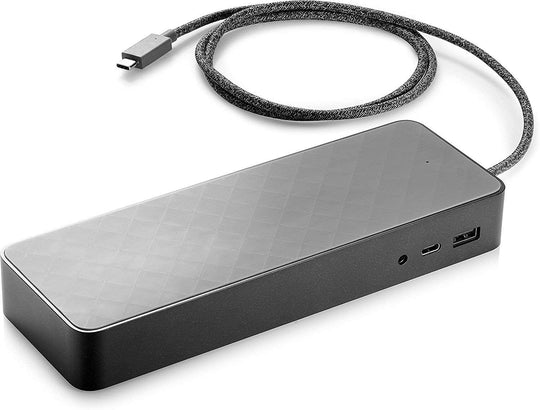
In the modern workplace, mobility and connectivity are essential for productivity. HP laptop docking stations are designed to bridge the gap between portability and the expansive connectivity needs of today”?s professionals. These devices allow users to connect multiple peripherals, including monitors, keyboards, and mice, while also charging the laptop itself. Understanding the different types and functionalities of docking stations can significantly enhance a laptop’s usability, making it a crucial investment for those who seek efficiency and convenience.
What is a Laptop Docking Station?
A laptop docking station is a hardware device that allows laptops to connect to other devices and peripherals easily. By providing additional ports and connections, it enables laptops to transform into powerful workstations. This is particularly useful for professionals who require multiple external devices for their work.
Benefits of Using an HP Laptop Docking Station
HP docking stations offer a range of benefits that enhance the functionality of laptops:
- Increased Connectivity: Provides additional USB ports, HDMI, DisplayPort, and Ethernet connections.
- Improved Ergonomics: Allows for a more comfortable desk setup with adjustable monitor stands and keyboard placements.
- Seamless Transition: Easily switch between a desktop and mobile setup without disconnecting and reconnecting peripherals.
- Enhanced Productivity: Supports multiple monitors and peripheral devices, allowing for a more efficient workflow.
Types of HP Docking Stations
Port Replicators
Port replicators are basic types of docking stations that provide additional ports to enhance connectivity. They are ideal for users who need extra USB or video outputs without additional features like power delivery.
Full Docking Stations
Full docking stations offer a comprehensive solution, including power delivery, multiple display support, and extensive connectivity options. These are perfect for users who want to maintain a clutter-free workspace while taking advantage of advanced features and capabilities.
Choosing the Right Docking Station
When selecting an hp laptop docking station, consider the following factors:
- Compatibility: Ensure that the docking station is compatible with the model of the HP laptop.
- Connectivity Needs: Assess the number and type of ports required for your devices.
- Power Delivery: If the docking station needs to charge the laptop, check its power delivery capacity.
- Budget: Evaluate the cost-effectiveness of the docking station concerning your needs.
Setting Up Your Docking Station
Setting up an HP docking station is straightforward. Follow these steps for a seamless installation:
- Connect the docking station to a power source.
- Link the docking station to your laptop using the appropriate connection cable.
- Attach peripherals such as monitors, keyboards, and mice to the docking station.
- Turn on all connected devices and ensure they are recognized by the laptop.
Investing in an HP laptop docking station can revolutionize the way laptops are used, providing the necessary connectivity and flexibility for a modern workspace. By understanding the various options and features available, users can select a docking station that perfectly aligns with their professional needs.